Blacksad, the person who created the new hi-res model of Manny, has put together a nice little teaser featuring the new model (and a nice new pair of shoes for Manny :)
You can compare him with the old model, here:
Pretty sweet, I'm sure you'll agree!
Sunday, 25 March 2012

Monday, 19 March 2012
Hi-res Manny is here!
Thanks to the work of somaen, cplhenshaw, BlackSad (for the new 3D model), and other members of the ResidualVM forums (including mogul!), we now have our first ever hi-res version of Manny!

Sadly he's still a little buggy, so this can only be considered an Alpha release, but you can at least play with him for yourself.
Known major issues are:
1. No facial animation.
As a say: There are plenty of bugs to iron out, but it's still fun to see what's possible thanks to ResidualVM!
To see hi-res Manny in Grim Fandango for yourself, simply drop the following file into your Grim Fandango folder (where your DATAxxx.LAB files live), and run ResidualVM!
http://www.thunderpeel2001.com/grim/DATAUSR.lab
None of your game files are affected by this!
Enjoy!

Sadly he's still a little buggy, so this can only be considered an Alpha release, but you can at least play with him for yourself.
Known major issues are:
1. No facial animation.
As a say: There are plenty of bugs to iron out, but it's still fun to see what's possible thanks to ResidualVM!
To see hi-res Manny in Grim Fandango for yourself, simply drop the following file into your Grim Fandango folder (where your DATAxxx.LAB files live), and run ResidualVM!
http://www.thunderpeel2001.com/grim/DATAUSR.lab
None of your game files are affected by this!
Enjoy!
Saturday, 21 January 2012
Running Grim Fandango on Windows Vista, 7, 8 and OSX
New instructions
Simply buy it and play!Instructions for playing the original with ResidualVM
Amongst the excitement surrounding this project it seems that a lot of people aren't even aware that they can play Grim Fandango right now on modern PCs/Macs (provided you own the game), including Windows 7, Windows Vista, Windows XP, OSX, Linux, and... Amiga(!). It works perfectly with x86 or x64, and all modern graphics cards, including those made by NVidia and Radeon.Here's the steps you need to take to play Grim Fandango on your computer:
1. Own Grim Fandango -- Unfortunately the hardest step as the game is no longer available to buy new. Your best bets are eBay (US/UK) or Amazon (US/UK).
Note: If you decide to get the game by nefarious means, I cannot guarantee it will work as expected!
2. Copy the Grim Fandango files to your Hard Drive -- the following files from your Grim Fandango CDs to a new folder on your computer. The files should be found in a folder called "data" on your Grim Fandango CDs.
For example, copy them into a new directory located at c:\grim
Copy all the LAB files into your new directory. For example:
CREDITS.LABNote: You may also have additional .LAB files if your version is non-English.
DATA000.LAB
DATA001.LAB
DATA002.LAB
DATA003.LAB
DATA004.LAB
MOVIE00.LAB
MOVIE01.LAB
MOVIE02.LAB
MOVIE03.LAB
MOVIE04.LAB
VOX0000.LAB
VOX0001.LAB
VOX0002.LAB
VOX0003.LAB
VOX0004.LAB
YEAR0MUS.LAB
YEAR1MUS.LAB
YEAR2MUS.LAB
YEAR3MUS.LAB
YEAR4MUS.LAB
Some files are found on both CDs, just click "OK" to overwrite them if prompted.
3. Add the official patch - Download the free official LucasArts patch from here:
http://www.lucasarts.com/support/update/grim.html
Place the Gfupd101.exe file you downloaded into the folder you previously created above (amongst all the .LAB files).
You should now have a directory on your harddrive (e.g. c:\grim) that contains the following files (filesizes in bytes are in the brackets):
CREDITS.LAB (19,399 bytes)If you don't have at least these files, the game will not function properly. If you do have these files and you're having some issues, try comparing the filesizes to see if they're the same.
DATA000.LAB (29,163,069 bytes)
DATA001.LAB (116,140,627 bytes)
DATA002.LAB (115,377,732 bytes)
DATA003.LAB (65,997,693 bytes)
DATA004.LAB (81,392,084 bytes)
Gfupd101.exe (2,272,959 bytes)
MOVIE00.LAB (7,121,597 bytes)
MOVIE01.LAB (119,199,457 bytes)
MOVIE02.LAB (70,712,720 bytes)
MOVIE03.LAB (88,576,747 bytes)
MOVIE04.LAB (107,184,933 bytes)
VOX0000.LAB (4,315,773 bytes)
VOX0001.LAB (58,011,176 bytes)
VOX0002.LAB (93,358,525 bytes)
VOX0003.LAB (38,906,667 bytes)
VOX0004.LAB (38,561,440 bytes)
YEAR0MUS.LAB (6,995,569 bytes)
YEAR1MUS.LAB (61,363,647 bytes)
YEAR2MUS.LAB (81,147,716 bytes)
YEAR3MUS.LAB (43,866,360 bytes)
YEAR4MUS.LAB (63,489,389 bytes)
4. Download and install ResidualVM - This amazing bit of software will be running the game for you and can be downloaded here:
http://www.residualvm.org/downloads/#daily
Just download the correct copy for your system and run the file to start the installation.
5. Let ResidualVM know where Grim Fandango is installed -- Within Residual click "Add Game..." and then navigate to the folder on your Hard Drive where you copied the game files (e.g. C:\Grim) and click "Choose".

6. Enjoy Grim Fandango -- If all goes well you just need to select Grim Fandango and click Start!

Sunday, 1 January 2012
Happy New Year!
This is just a small post to wish everyone a Happy New Year, and also to share a wonderful Grim Fandango related project with you.
The Grim Fandando Stop-Mo Project plans to use stop-motion animation to recreate the famous opening sequence that introduced us to Manny Calavera, and his less-than-desirable client, Celso. (Stop-motion is the style of animation you've seen in Chicken Run, Wallace and Gromit, The Nightmare Before Christmas, etc.) The level of detail and attention being put into the project by its creator, Pixyfrog, and his contributors, is nothing short of stunning! I can't wait to see the finished video.
Follow its progress here: Grim Fandando Stop-Mo Project
While you're at it, why not take a peek at Chay Hawe's incredibly detailed and unique take on Manny Calavera on his portfolio website Chayground.
 |
| A stunning 3D Render of Celso's skull by project contributor Chay |
Follow its progress here: Grim Fandando Stop-Mo Project
While you're at it, why not take a peek at Chay Hawe's incredibly detailed and unique take on Manny Calavera on his portfolio website Chayground.
Friday, 2 December 2011
Calling all 3D modellers!
Thanks to the efforts of cplhenshaw we now have some tools that allow
us to convert the original Grim Fandango .3DO objects to .OBJ files,
which can then be opened in all major 3D modelling software.
This means that if you feel you've got the skills, you can now help the project by improving Manny's form in 3D...

OBJ versions of Manny and Glottis can be downloaded here:
http://www.thunderpeel2001.com/grim/MannyOBJ.zip
http://www.thunderpeel2001.com/grim/GlottisOBJ.zip
Please read the following post regarding limitations of the Grim Fandango 3D format:
Remodel each piece of the model separately, i.e Don't fuse his arms onto his torso. For any piece you want to update place it over the top of the old one so that they are positioned correctly.
It probably won't work first try, but as long as all the pieces you remodel remain separate you won't need to redo any modelling and it should just be fiddling around with the exporters and file formats until we get it right.
When you're done:
Please either send your finished OBJs to me at:
grimfandangodeluxe@gmail.com
Or share them in the Residual thread here:
http://forums.residualvm.org/viewtopic.php?t=100
Thanks!
This means that if you feel you've got the skills, you can now help the project by improving Manny's form in 3D...

OBJ versions of Manny and Glottis can be downloaded here:
http://www.thunderpeel2001.com/grim/MannyOBJ.zip
http://www.thunderpeel2001.com/grim/GlottisOBJ.zip
Please read the following post regarding limitations of the Grim Fandango 3D format:
Remodel each piece of the model separately, i.e Don't fuse his arms onto his torso. For any piece you want to update place it over the top of the old one so that they are positioned correctly.
It probably won't work first try, but as long as all the pieces you remodel remain separate you won't need to redo any modelling and it should just be fiddling around with the exporters and file formats until we get it right.
When you're done:
Please either send your finished OBJs to me at:
grimfandangodeluxe@gmail.com
Or share them in the Residual thread here:
http://forums.residualvm.org/viewtopic.php?t=100
Thanks!
Thursday, 8 September 2011
Grim Fandango in Widescreen!
A user known as ultraneonoirantihero took it upon themselves to try and crack the problem of running Grim Fandango in a higher resolution... and in widescreen!
Watch the video for yourself!
Update: ultraneonoirantihero has explained how they put the video together in the Residual forums. It was actually all done in video editing software and PhotoShop (and not Residual), but it's still very impressive indeed! You may not immediately appreciate just how much work went into it, in fact. Take a look for yourself.
Sunday, 4 September 2011
Adding detail to Grim Fandango's textures...
When I first opened up Manny's suit in Photoshop I was a little perplexed... where do you add the detail?

Should we be able to see the fibres of his suit? Should there be more detail in the suit's pattern? Should it look photo-realistic? If not, how do you add detail to something so basic and cartoony? I didn't know where to begin, and it made me wonder: Just what does Grim Fandango look like in "high-resolution"?
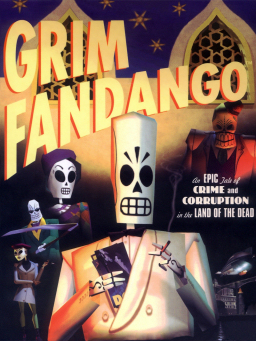
The promotional material surrounding Grim Fandango actually used models from the game, and so wasn't any help.
I was trying to recall when if ever saw a detailed close-up of Peter Chan's creations, when I remembered the game's inventory screens:


Looking at these it was clear that if we could "zoom in" on the Grim Fandango world that it would look hand-drawn, not photo-realistic, and very deliberately so. (I guess this ties in with the idea that the characters are hand-made calacas, although I personally like to think that Manny and company are actually made of bone, not papier-mâché.)
The understanding of the look of the world of Grim Fandango led to the first texture test we did:
Transforms to..

There's probably still ways in which this could be improved, but I was quite pleased with how it looked in the game itself.

Think you can do better? Coming soon: A guide on how those with texturing skills can help the Grim Fandango Deluxe project!

Should we be able to see the fibres of his suit? Should there be more detail in the suit's pattern? Should it look photo-realistic? If not, how do you add detail to something so basic and cartoony? I didn't know where to begin, and it made me wonder: Just what does Grim Fandango look like in "high-resolution"?
The promotional material surrounding Grim Fandango actually used models from the game, and so wasn't any help.
I was trying to recall when if ever saw a detailed close-up of Peter Chan's creations, when I remembered the game's inventory screens:


Looking at these it was clear that if we could "zoom in" on the Grim Fandango world that it would look hand-drawn, not photo-realistic, and very deliberately so. (I guess this ties in with the idea that the characters are hand-made calacas, although I personally like to think that Manny and company are actually made of bone, not papier-mâché.)
The understanding of the look of the world of Grim Fandango led to the first texture test we did:
Transforms to..

There's probably still ways in which this could be improved, but I was quite pleased with how it looked in the game itself.

Think you can do better? Coming soon: A guide on how those with texturing skills can help the Grim Fandango Deluxe project!
Subscribe to:
Posts (Atom)